Kernel and Driver Latency Scan
Traces how long each driver holds the CPU for 10 seconds while you play, and names the ones that stall it. Also handles Memory Integrity, the hypervisor and GPU MSI mode.
Microsoft guidance: DPC 100 µs, interrupt 25 µs
FPS and latency tuning for Windows 10 and 11
Tachyon applies the Windows, driver and power settings that have real evidence behind them, reads each one back to confirm it took, and measures the result on your own PC. Popular tweaks that do nothing go to the Placebo Graveyard instead.
This download isn't available right now. Please try again in a little while.
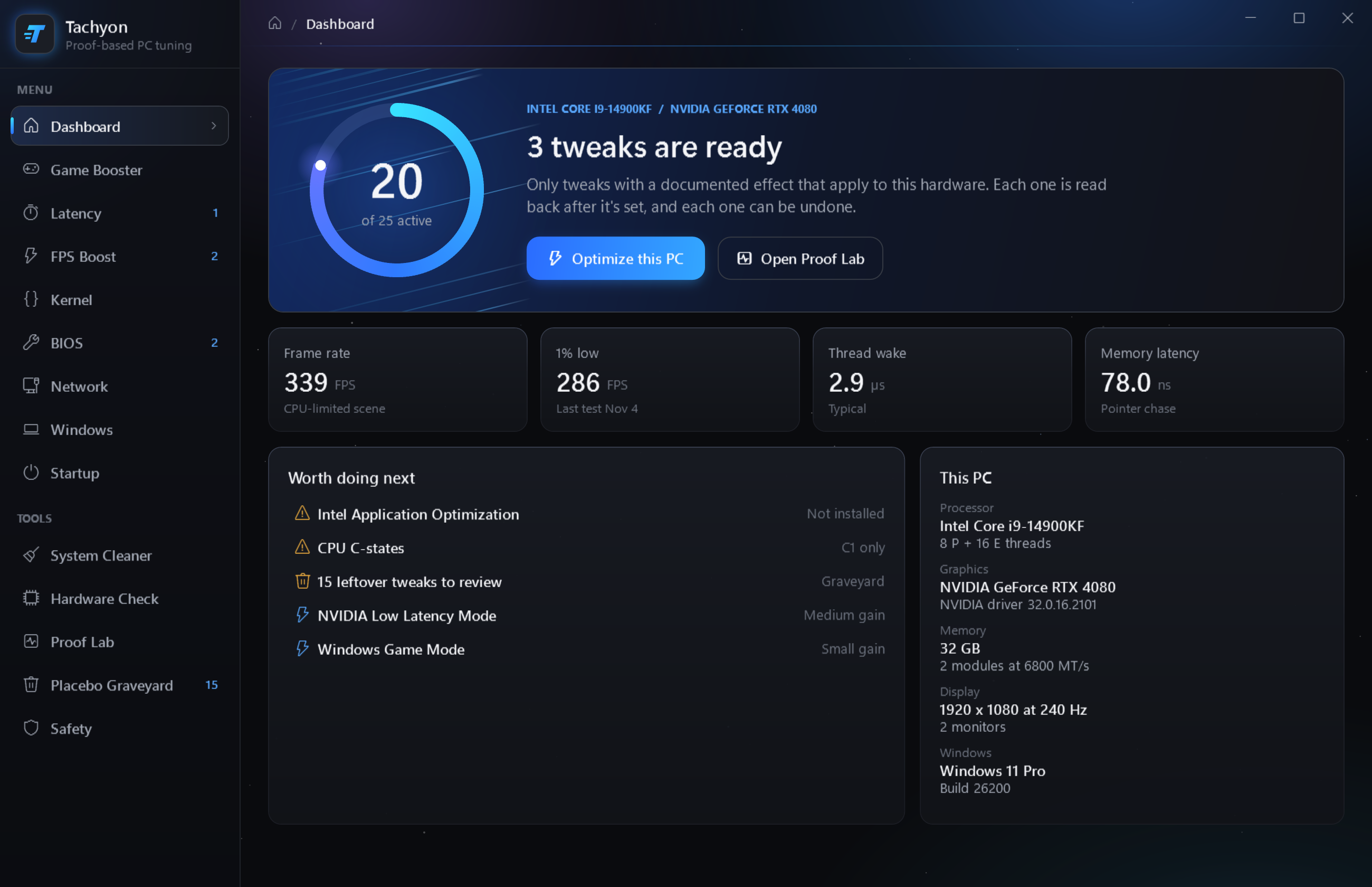
The dashboard. Measurements in the screenshots are sample data.
What it tunes
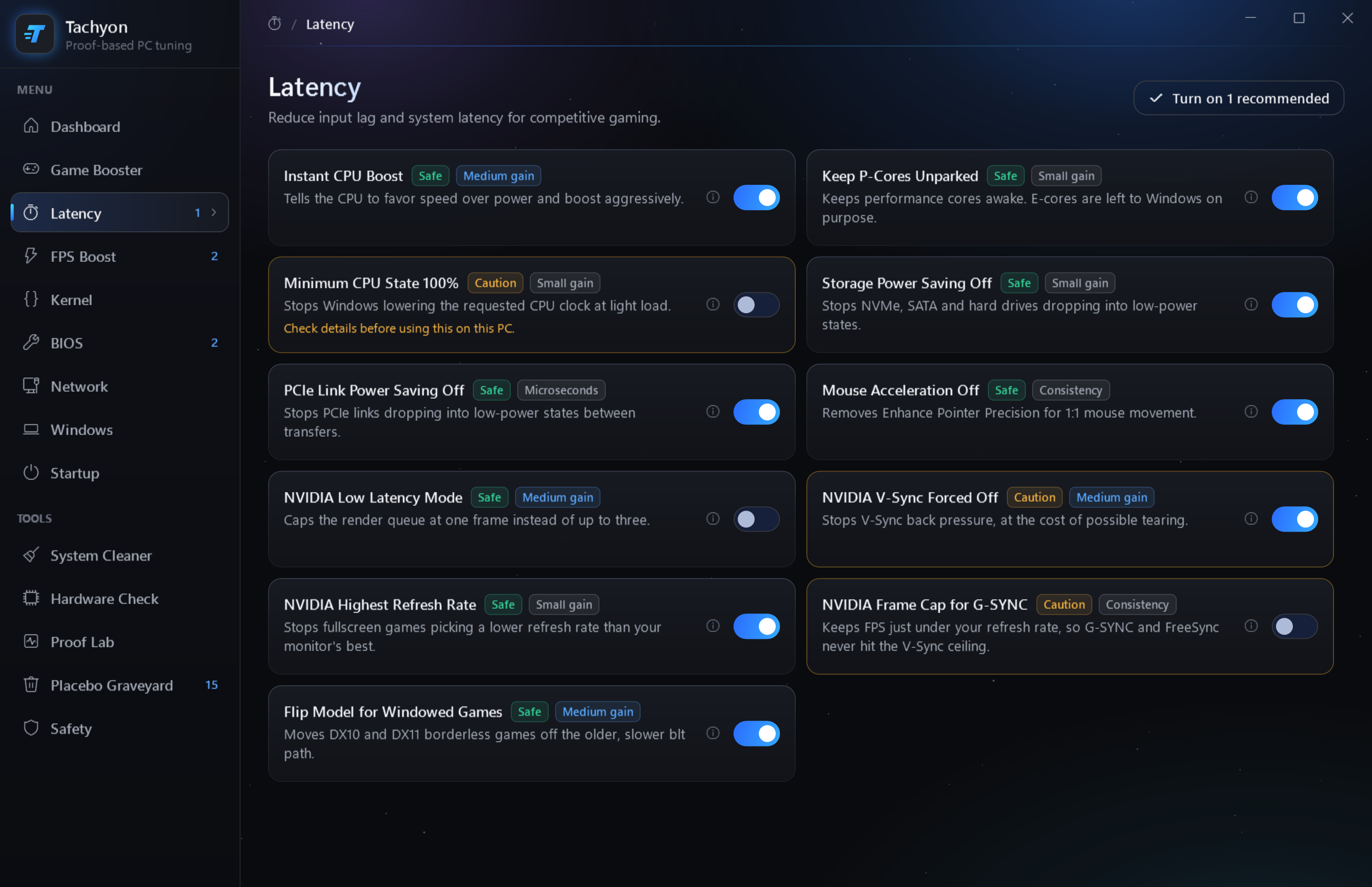
Every tweak cites a vendor document or an independent test, and only shows up when it applies to your hardware. Each card tells you how safe it is and what kind of gain to expect before you flip it.
Traces how long each driver holds the CPU for 10 seconds while you play, and names the ones that stall it. Also handles Memory Integrity, the hypervisor and GPU MSI mode.
Microsoft guidance: DPC 100 µs, interrupt 25 µs
Reads your firmware settings and sorts them into worth changing, leave on, and no FPS gain. It tells you where each setting lives on your board, then restarts straight into setup.
XMP / EXPO · Resizable BAR · ASUS, MSI, Gigabyte, ASRock
Moves the background apps you choose into Efficiency Mode and pauses update and indexing services while you play. When the game closes, everything goes back.
Never closes your apps · works with Steam and Epic
Finds temporary files and old caches, shows you what it found and asks before deleting anything. It won't touch shader caches, saved passwords or your files.
Frees disk space · shader caches left alone
Lists the apps and the scheduled tasks that start when you sign in, including the ones Task Manager doesn't show, so you can switch off what you don't need.
Windows' own tasks are never listed
Catches the problems that cost the most frames: memory running below its rated speed, a graphics card in a slow slot, an outdated driver or a 60 Hz monitor setting.
Fix these first · usually the biggest wins
Proof Lab
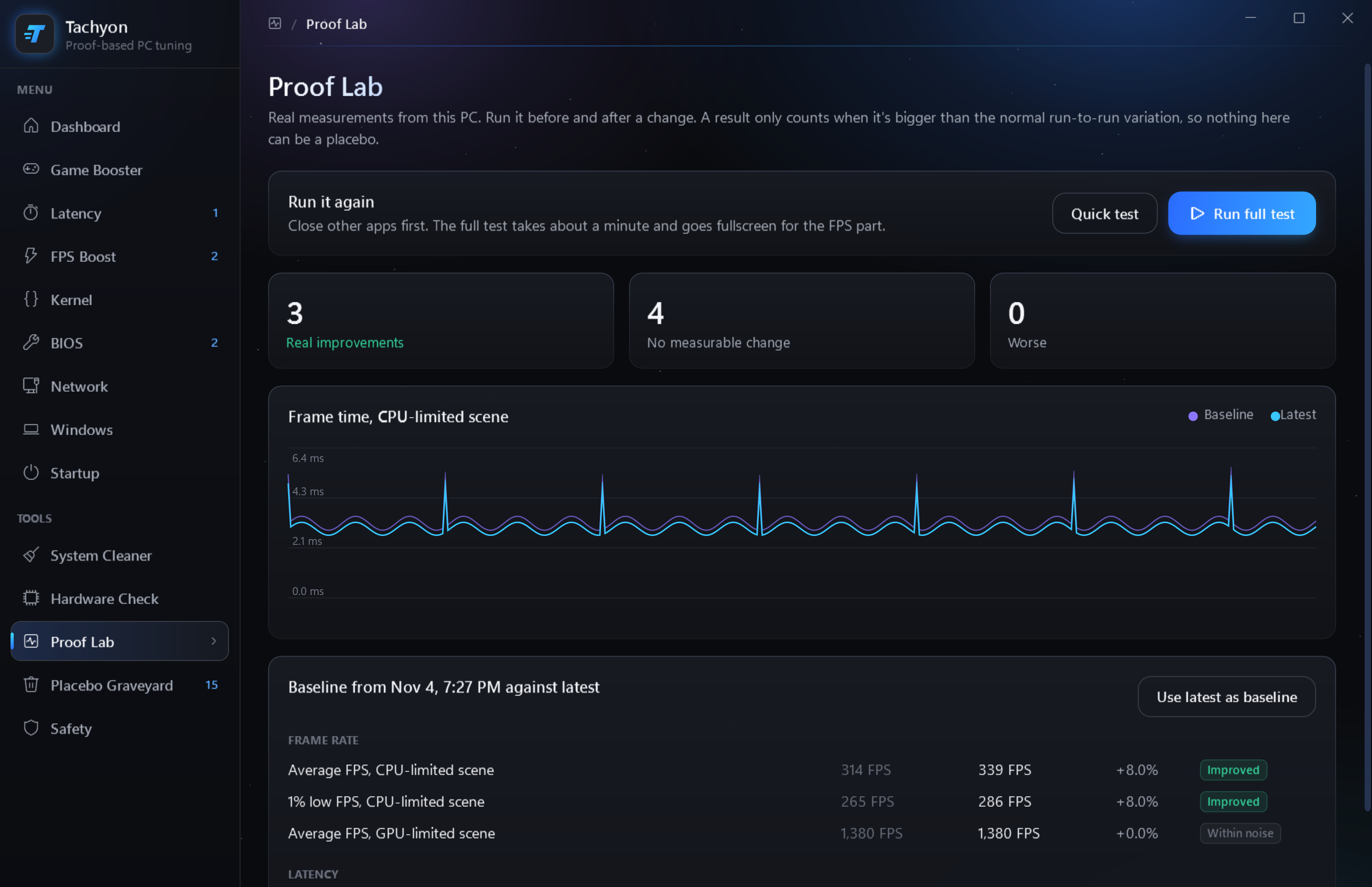
Run the built-in test before and after a change. It measures frame rate, 1% lows, thread wake latency and memory latency, several times each. A result only counts when it's bigger than the normal run-to-run variation.
Example results. Your numbers depend on your hardware and what was already set.
Placebo Graveyard
These show up in tweak packs and videos everywhere. Tachyon explains why each one is placebo, unproven or harmful, and if another tool left one set on your PC, Fix puts it back to the Windows default.
Fast-paced games use UDP or turn off Nagle themselves.
It limits packet handling during media playback. It has no bearing on ping.
Only affects threads registered with the multimedia scheduler, and most games don't register.
An undocumented key. Games that need a fine timer ask for one themselves.
Holds GPU clocks up, but NVIDIA's own latency guide doesn't list it. You pay in power and heat.
The cost was real before 2018. On modern CPUs the gain is small and the risk is real.
An idle service uses almost no CPU, and disabling dozens breaks features in ways that are hard to trace.
It can starve the input, audio and driver threads the game depends on.
Some games crash when memory runs short, and nothing gets faster.
Windows already hands standby memory to games instantly. Purging it throws away useful cache.
Safety
Tachyon saves the old value before it changes anything, reads the setting back to confirm it took, and lists every change on its Safety page with an Undo button.
One change at a time, or Undo everything in one go. You can also create a system restore point from the app.
Anything with a trade-off, or that restarts your network, shows you the exact change before it runs.
No service, no startup entry, no scheduled task. Close it and nothing keeps running.
It only sends your license key and a one-way hash of your motherboard ID, to activate and check the key.
Get started
One small file. Windows may ask you to confirm because the app changes system settings.
Accept the license agreement and choose whether you want a desktop shortcut. After that, type Tachyon in Start search to open it.
Paste your license key the first time it opens. It locks to your PC, and activating needs internet once.
Questions
It depends on your PC and on what's already set. A PC running in a power-saving mode, with memory below its rated speed or with a stalling driver can gain a lot. One that's already tuned may see little. That's why Proof Lab exists: it shows what actually changed on your machine, and calls anything inside normal variation no change.
Yes. Windows SmartScreen warns about new programs that don't have a code-signing certificate yet. Choose More info, then Run anyway. Some antivirus tools are also wary of any tool that changes system settings.
Yes. Every change is listed on the Safety page with its own Undo button, and Undo everything reverses them all. Uninstalling from Settings › Apps removes the app but leaves your settings as they are, so undo first if you want them back.
Windows 10 or 11, 64-bit, and administrator rights. Nothing else to install: it uses the .NET Framework that comes with Windows. Activating your key needs an internet connection once.
Each key works on one PC. It locks to the first PC that activates it, and its time starts then. Keys come as 1 week, 1 month, 6 months, 1 year or lifetime. After activating, the app starts without internet.
No. Its only connection is to the activation server, to activate your key and check that it's still valid. It sends the key and a one-way hash of your motherboard ID, and nothing else.